 KaDo Poche
Help
How KaDo Poche works, in three steps, then the frequently asked questions. The app is in French: its buttons are shown in French below, with their meaning.
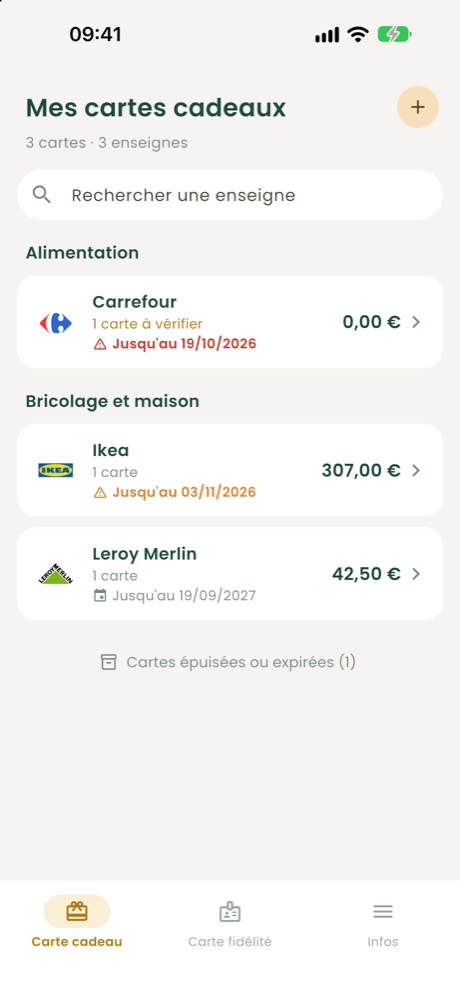
Add your cards
Scan the barcode or QR code.
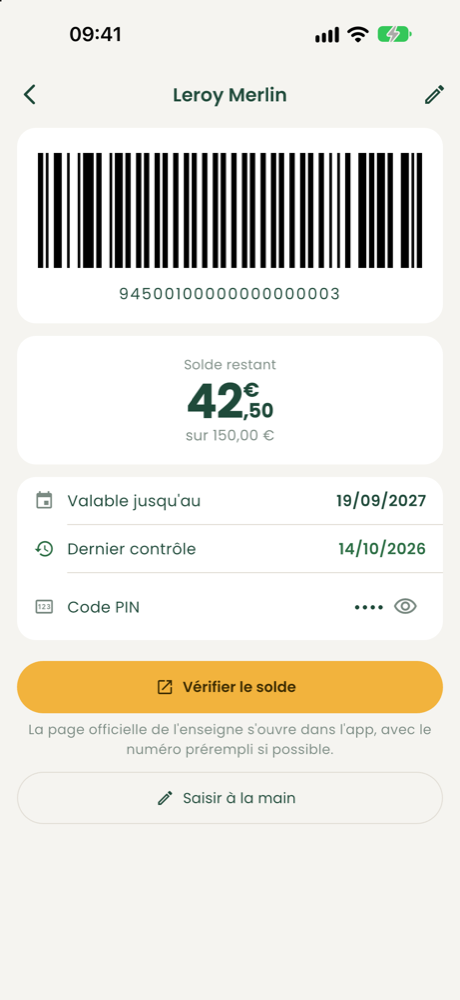
Check the balance
The official page opens, you confirm.
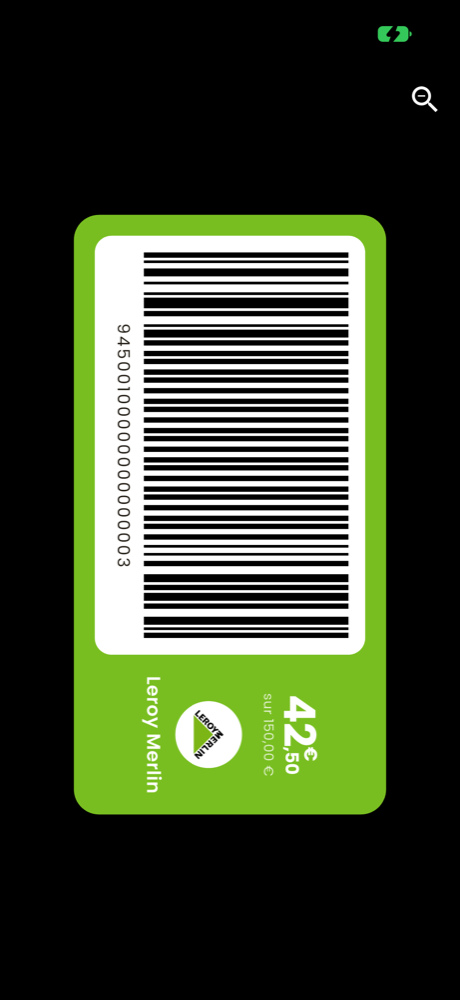
Pay at the till
Big code, maximum brightness.
➕ Adding my cards
How do I add a gift card?
In the Carte cadeau (Gift card) tab, tap the + button at the top right and scan the card's barcode or QR code. No camera at hand? Tap “Saisir le numéro à la main” (Enter the number by hand). Major stores are recognised automatically; otherwise you enter the store. The app then asks for the PIN if there is one.
How do I add a loyalty card?
In the Carte fidélité (Loyalty card) tab, tap + and scan the card. If the store is recognised, it is filled in automatically; otherwise you type its name. You can give the card a name (“Marie's card”) if you have several from the same store.
My store isn't recognised, what can I do?
Your card works anyway: you just enter the store. To help the app learn to recognise it, go to Infos → Proposer une enseigne (Suggest a store): you can send the beginning of the number of all your unrecognised cards at once. Only the first 6 characters, the length and the type of code are sent, never the full number or the PIN.
My gift card came as a PDF or by e-mail.
For now, open the PDF on a computer or print it and scan the code with the app. Direct PDF import is planned: see the roadmap.
💶 The balance
How do I check a gift card's balance?
Open the store, then tap Vérifier (Check) under the card. The store's official page opens inside the app with the number already filled in. You confirm (sometimes a captcha), and the balance shown on the page is imported automatically. You can also enter it by hand.
Why do I have to confirm myself?
Stores' balance pages are protected against bots (captcha, Cloudflare…). KaDo Poche never bypasses these protections: you confirm, just as if you were on the store's website.
Assisted, manual, account required: what does it mean?
It depends on the store. Assisted: the official page is pre-filled, you confirm. Manual: you type the number yourself on the official page, with a reminder on screen. Account required: you need an account with the store to see the balance. Details are on the Supported stores page.
What does the colour under “Vérifier” mean?
It's the date the balance was last checked: green if less than a week ago, orange between a week and a month, red for more than a month (or never). A red “à revérifier” (to check again) reminder also appears in the list.
🛒 At the till
How do I pay with a card?
Open the store and tap En caisse (At the till): the code is shown full screen, at maximum brightness, with the remaining balance next to it. For a loyalty card, a single tap on the card is enough.
The barcode is too big or too small.
Tap the magnifier in the corner of the code to enlarge or reduce it.
⏰ Reminders and used-up cards
Does the app warn me before a card expires?
Yes: a notification one month and then one week before the expiry date, at 10 am. You need to allow notifications at first launch (or in your phone's settings).
Where are my cards at €0 or expired?
They move to “Cartes épuisées ou expirées” (Used-up or expired cards), at the bottom of the list. The “Vider les cartes épuisées” button deletes them all at once.
🔒 My data
Where are my cards stored?
Only on your phone, in its secure vault (the iPhone keychain). No account, no server: we never see your cards. Details in the privacy policy.
What if I change phones or delete the app?
If you delete the app, your cards are erased. An encrypted backup, protected by your password, is planned: see the roadmap.
What is sent when I suggest a store?
The store name, the type of card, the first 6 characters of the number, its length and the type of code. Never the full number, the PIN or the card's name. The submission is anonymous.
Need more help?
A question without an answer, a problem, an idea? Write to us.